
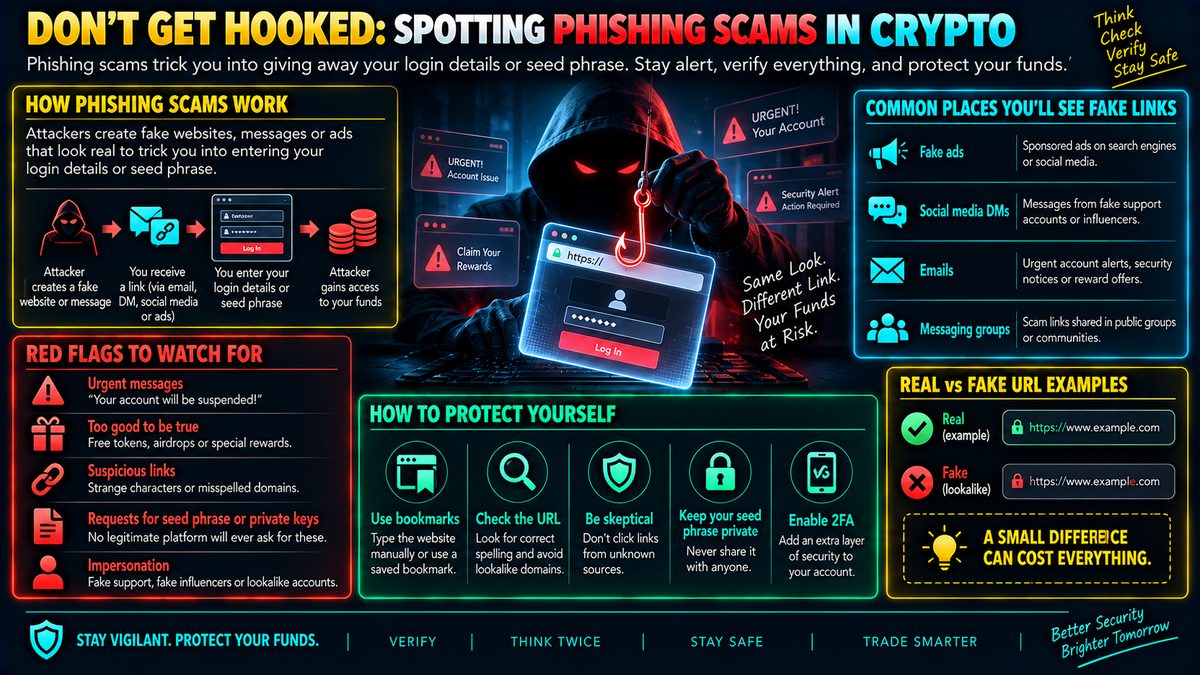
Phishing scams trick you into entering your login or seed phrase on a fake website that looks identical to a real exchange or wallet. Attackers spread these links via fake ads, social media DMs, or emails claiming urgent account issues. Always type website addresses manually or use a saved bookmark instead of clicking links, and double-check the URL spelling before entering credentials. No legitimate platform will ever ask for your seed phrase or private keys — treat any request for them as an instant red flag.
What Phishing Actually Looks Like
Phishing is a trick, not a hack in the technical sense. Instead of breaking into a system, scammers copy the look of a real exchange, wallet app, or website down to the logo, colors, and layout, then host it on a web address that looks almost right. A seed phrase, sometimes called a recovery phrase, is the list of words that can regenerate your wallet and everything in it. A private key does the same job in a different format. Whoever has these words or keys effectively owns the funds, no password reset required. That is why phishing pages are built around one goal: getting you to type that phrase or your login details into a box that sends it straight to the attacker.
How These Scams Spread
Fake links rarely just sit and wait. They are pushed through paid ads that appear at the top of search results, direct messages on social media claiming your account has a problem, emails warning of suspicious login attempts, or messages in group chats from accounts pretending to be support staff. The common thread is urgency. You are told something bad will happen, a freeze, a loss, a missed opportunity, unless you click now and fix it. That pressure is designed to shortcut careful thinking.
Reading the Warning Signs
The clearest signal is the web address itself. Scam sites often use a domain that is one letter off from the real one, an extra word tacked on, or a completely different ending than the platform normally uses. Because these differences are easy to miss at a glance, it helps to slow down and read the address character by character before typing anything into a login field. Another consistent red flag is any request for a seed phrase or private key. No legitimate exchange, wallet provider, or support agent needs these to help you, because they never store them in the first place. If a message, page, or person asks for that phrase, treat it as an immediate stop signal regardless of how official everything else looks.
Habits That Reduce Risk
The simplest defense is to stop relying on links altogether. Typing a website address manually or using a bookmark you saved yourself, rather than one from an email, ad, or chat message, removes most of the risk in one step. Treating unsolicited urgency as suspicious rather than motivating is another useful habit, since real account issues rarely require a rushed response through a link you were just handed. Splitting large holdings across cold storage, meaning a wallet not connected to the internet, and only keeping what you actively use in a connected wallet also limits how much a single mistake can cost.
Where This Fits Into Overall Security
Phishing awareness is one layer of a broader security approach, not a substitute for the others. It works alongside habits like using unique passwords, enabling two factor authentication where available, and keeping a written or offline backup of a seed phrase in a place only you control. No single habit makes an account unhackable, and no guide can promise total safety, but combining careful link habits, skepticism toward urgency, and sensible storage choices meaningfully lowers the odds that a fake page ever gets the chance to matter.