
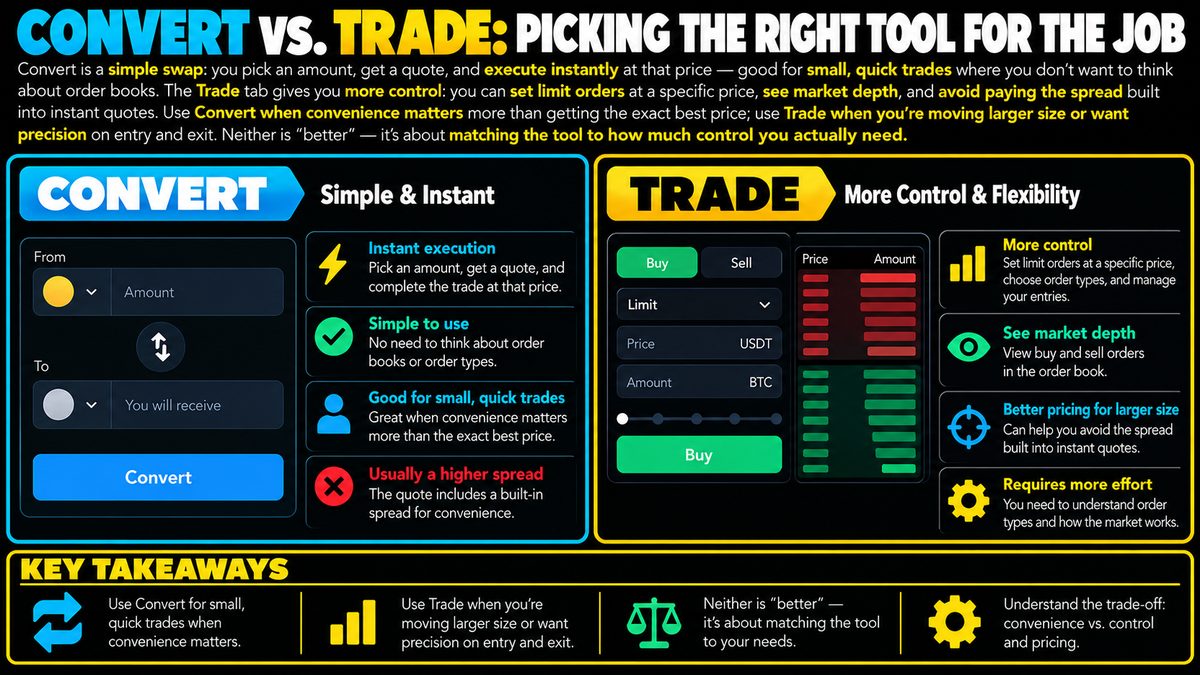
Convert is a simple swap: you pick an amount, get a quote, and execute instantly at that price — good for small, quick trades where you don't want to think about order books. The Trade tab gives you more control: you can set limit orders at a specific price, see market depth, and avoid paying the spread built into instant quotes. Use Convert when convenience matters more than getting the exact best price; use Trade when you're moving larger size or want precision on entry and exit. Neither is "better" — it's about matching the tool to how much control you actually need.
What Convert Actually Does
Convert is the simplest way to move from one asset into another. You choose an amount, the system shows you a quote, and you confirm it. There is no order book to read, no price to set, and no waiting around for the market to reach a certain level. The trade either executes at the quoted price or it doesn't happen at all. This simplicity is the whole point: for someone who just wants to turn, say, 100 units of one asset into another without thinking about market mechanics, Convert removes almost all the decision-making.
The tradeoff for that convenience is the spread. A spread is the small gap between the price you'd get buying and the price you'd get selling at that same instant. Convert quotes typically bake this spread into the price you're shown, so you're paying a bit for the simplicity even if it isn't labeled as a separate fee. On a small trade this cost is usually minor in absolute terms, but it exists.
What the Trade Tab Adds
The Trade interface exposes the order book, which is the live list of buy and sell orders at various prices that make up the market. Instead of accepting a single quoted price, you can place a limit order, meaning you specify the exact price you're willing to buy or sell at, and the order only fills if the market reaches that price. This gives you control over your entry and exit that a one-click convert simply cannot offer.
Seeing market depth, meaning how much buy or sell interest sits at different price levels, also gives you a rough sense of how "thick" or "thin" a market is at a given moment. Thin markets can move more with the same size order, which matters more as your trade size grows. None of this guarantees a better outcome, but it gives you information that Convert hides from you by design.
Matching the Tool to the Situation
For small, quick trades, the extra control of the Trade tab often isn't worth the extra steps. If you're converting a modest amount and speed matters more than shaving a fraction off the price, Convert does the job with less friction and less room for user error, such as mistyping a price or leaving an order open longer than intended.
For larger trades, the spread embedded in a Convert quote can add up to a more meaningful amount in absolute terms, even if the percentage is the same. In these cases, using a limit order on the Trade tab to target a specific price, or splitting the trade into smaller pieces, can reduce how much you give up to the spread and to market impact, which is the effect your own order has on moving the price against you.
Common Mistakes to Avoid
A frequent mistake is assuming Convert's quoted price is always fair value in the deeper market, when it may already include a wider spread than what's visible on the order book. Another is placing a limit order far from the current price and forgetting about it, only to have it fill unexpectedly later when the market moves. Neither tool removes the need to think about position size and risk; a bad-sized trade executed perfectly is still a bad-sized trade.
Keeping It in Perspective
Neither Convert nor Trade predicts where a market will go, and using one over the other doesn't change the underlying risk of holding a volatile asset. They are simply different levels of control over execution. Choosing between them is really a question of how much precision your situation calls for, not a decision that should be confused with a trading strategy.